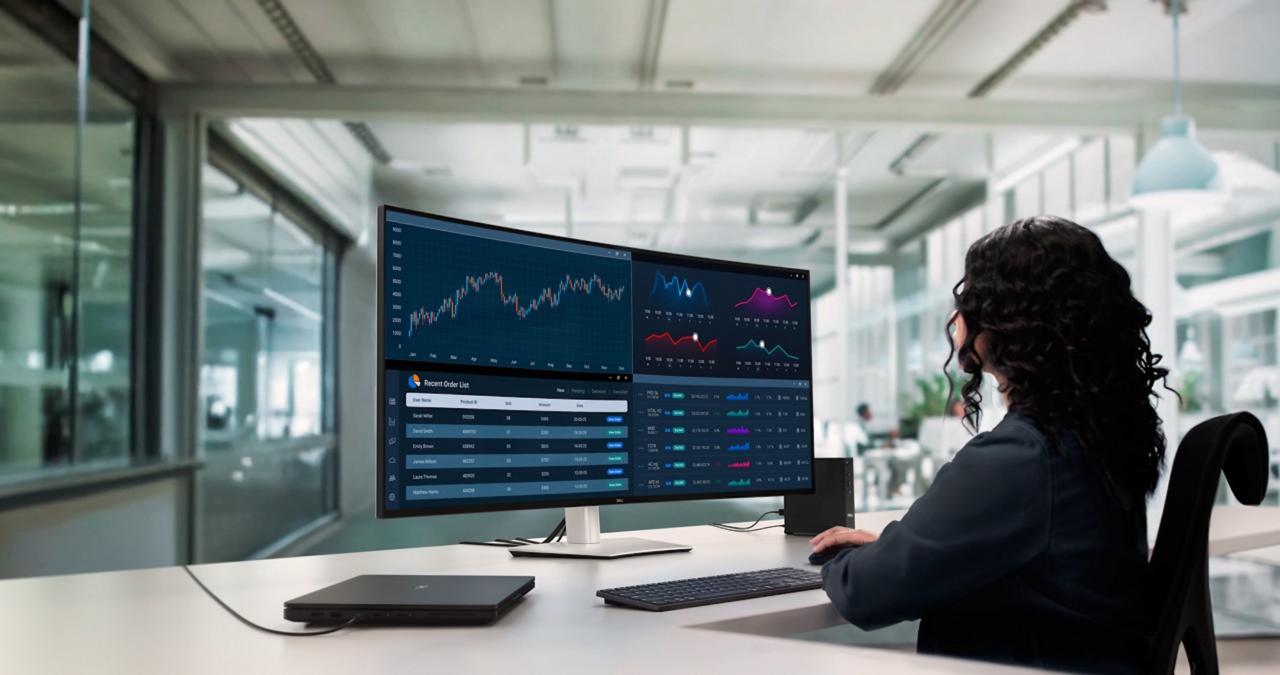
The professional display market has long been dominated by a handful of key players, but Dell has just reasserted its dominance with a bold statement. After a period of relative quiet in the ultra-high-resolution segment, Dell has officially returned with a cutting-edge 6K monitor that promises to redefine visual fidelity for creators, engineers, and enterprise users alike. This isn’t merely a product refresh; it is a calculated re-entry into a space where precision, color accuracy, and pixel density are non-negotiable.
In an era where remote work, digital content creation, and data visualization are more critical than ever, Dell’s latest release arrives at the perfect moment. This article explores every facet of this groundbreaking monitor—from its technical specifications and design philosophy to its market positioning and long-term value proposition. Whether you are a professional video editor, a financial analyst juggling multiple spreadsheets, or an IT decision-maker, understanding what this 6K monitor brings to the table is essential.
The Dawn of a New Visual Era
For years, 4K monitors have been the gold standard for high-end productivity and entertainment. However, as workflows become increasingly complex and the human eye grows accustomed to sharper images, the industry has begun shifting toward 5K and now 6K resolutions. Dell’s re-entry into this arena signals that the era of ultra-high-definition desktop computing is officially here.
The new Dell 6K monitor is not just about packing more pixels into a panel. It represents a holistic approach to display technology, addressing long-standing pain points such as color consistency, connectivity, ergonomics, and power efficiency. By leveraging decades of display engineering expertise, Dell has crafted a monitor that serves as a command center for the most demanding professionals.
This release is particularly significant because Dell had previously stepped back from pioneering ultra-high-resolution displays, leaving the spotlight to competitors like Apple’s Pro Display XDR and LG’s Ultrafine series. With this return, Dell is not just catching up it is leapfrogging ahead by integrating next-generation panel technology with intelligent software calibration.
Technical Specifications That Command Attention
To truly appreciate what Dell has accomplished, one must examine the technical architecture powering this monitor. Every component has been meticulously selected to ensure that the device performs flawlessly under sustained professional workloads.
A. Display Panel and Resolution
At the heart of this monitor lies a 32-inch IPS Black panel with a native resolution of 6144 x 3456. This 6K format delivers approximately 20 million pixels, offering four times the detail of standard Quad HD displays and significantly more screen real estate than conventional 4K monitors. The 32-inch diagonal size strikes a perfect balance between immersive viewing and desktop practicality.
The IPS Black technology, first introduced in Dell’s UltraSharp series, provides twice the contrast ratio of traditional IPS panels. This translates to deeper blacks and more vibrant colors without sacrificing the wide viewing angles that professionals require for collaborative work.
B. Color Accuracy and HDR Performance
Color precision is the currency of creative industries, and Dell has equipped this monitor with factory-calibrated performance out of the box. It covers 99% of the DCI-P3 color space and 98% of the Display P3 gamut, ensuring that video editors and photographers can trust what they see.
Additionally, the monitor supports VESA DisplayHDR 600 certification. While this is not the absolute highest tier of HDR brightness, it strikes an intelligent balance between power consumption and visual impact. Highlights appear punchy without causing eye strain during marathon editing sessions, and shadow details remain discernible even in complex graded scenes.
C. Connectivity and Docking Integration
One of the most frustrating aspects of modern desktop setups is cable clutter. Dell has addressed this by integrating a fully functional Thunderbolt 4 hub directly into the monitor. A single cable connected to a laptop can deliver:
-
Video signal transmission at full 6K resolution
-
90 watts of power delivery to charge the host device
-
High-speed data transfer for peripherals such as external SSDs and webcams
-
Ethernet connectivity through the monitor’s downstream ports
In addition to Thunderbolt 4, the monitor includes HDMI 2.1, DisplayPort 2.0, and multiple USB-A 3.2 ports. This extensive selection ensures compatibility with both legacy devices and future-proofed workstations.
Ergonomic Design and User Experience

A monitor of this caliber is expected to be used for hours on end, making ergonomics a top priority. Dell has moved beyond simple tilt adjustments and embraced a full-spectrum approach to user comfort.
A. Stand and Adjustability
The included stand offers 150mm of height adjustment, -5° to 21° tilt, +/- 30° swivel, and a 90° pivot for portrait mode orientation. This range of motion allows users to configure their workspace in a way that minimizes neck strain and promotes neutral posture.
For those utilizing multi-monitor setups, the bezels have been reduced to a mere 6.5mm on three sides, creating a nearly seamless array when placing multiple units side by side.
B. Ambient Light Sensor and ComfortView Plus
Prolonged exposure to blue light has been linked to digital eye strain and disrupted sleep cycles. Dell has integrated an advanced ambient light sensor that automatically adjusts brightness and color temperature based on the surrounding environment.
This is complemented by ComfortView Plus, a hardware-based low-blue-light solution that reduces harmful emissions without introducing the yellowish tint associated with software-based filters. The result is a display that remains comfortable to view from early morning until late evening.
C. Cable Management and Aesthetics
The rear of the monitor features a clean, cable-routing channel that conceals wires within the stand column. This not only improves the visual tidiness of the workspace but also facilitates easier cleaning and reconfiguration.
Aesthetically, Dell has adopted a platinum silver finish with subtle venting patterns that suggest precision engineering. The monitor does not scream for attention but rather projects quiet confidence a design philosophy consistent with Dell’s premium UltraSharp lineage.
Target Audience and Use Cases
While this monitor is undeniably expensive, its feature set justifies the investment for several distinct user profiles. Understanding who benefits most from a 6K display helps contextualize its place in the market.
1. Video Editors and Colorists
Editing 6K and 8K RAW footage on a 4K monitor often requires constant zooming and panning to verify focus and detail. With a native 6K display, editors can view ultra-high-resolution timelines at full scale while retaining ample interface space for toolbars and preview windows.
2. Software Developers and Data Scientists
High-resolution displays are not exclusively for visual media. Developers working with massive codebases can tile multiple files side by side without sacrificing readability. Data scientists visualizing complex datasets benefit from the additional pixels when rendering scatter plots, heat maps, and network diagrams.
3. Financial and Legal Professionals
Professionals who monitor real-time data feeds such as stock traders or litigation consultants often require several documents or dashboards visible simultaneously. The 6K canvas reduces the need for multiple physical monitors, simplifying workstation management in regulated environments.
4. Medical Imaging and Engineering
Radiologists and engineers working with DICOM images or CAD models require both resolution and grayscale precision. While this monitor is not certified as a medical display, its high pixel density and color fidelity make it a compelling option for non-diagnostic medical visualization and precision manufacturing design.
Comparison with Competing Displays
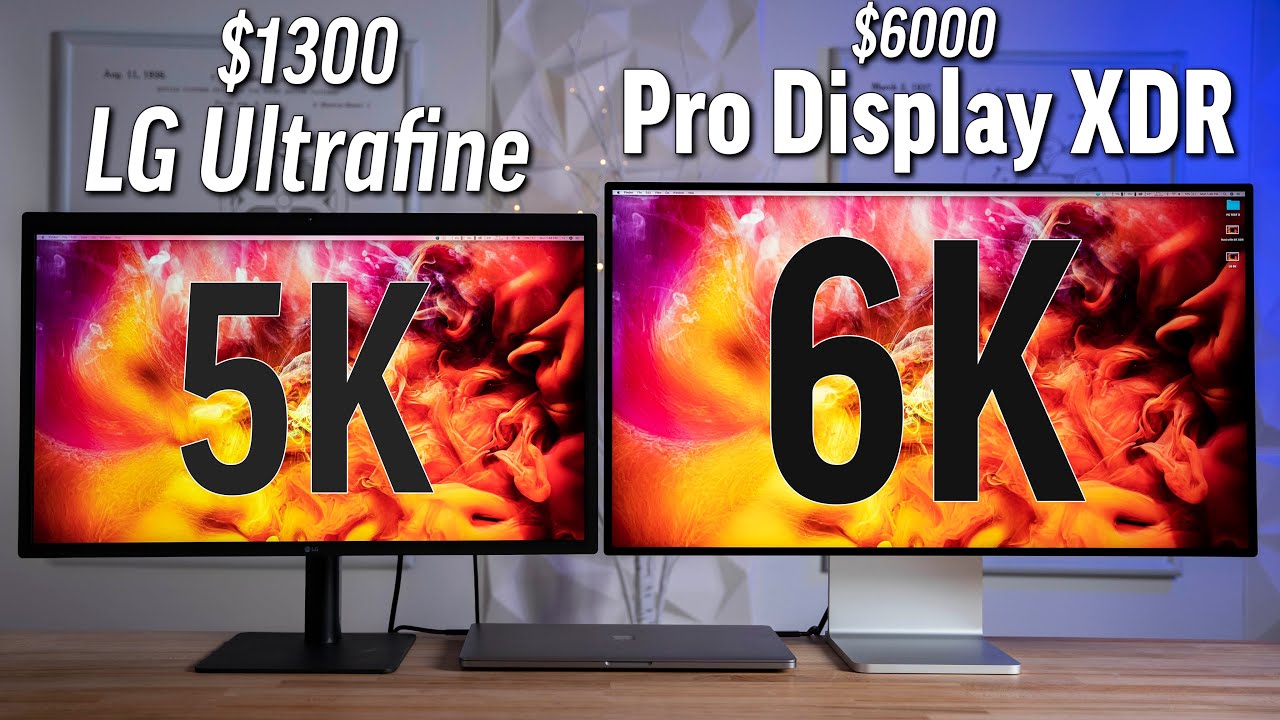
To understand Dell’s competitive positioning, it is useful to compare this 6K monitor against two prominent alternatives: Apple’s Pro Display XDR and LG’s 5K Ultrafine.
A. Dell 6K vs. Apple Pro Display XDR
Apple’s offering has been the benchmark since 2019, but it comes with notable trade-offs. The Pro Display XDR requires a separate stand, adding significant cost, and its connectivity is limited to Thunderbolt 3. Dell’s monitor includes a full-featured stand and offers Thunderbolt 4 with broader peripheral support.
In terms of resolution, Apple’s 6K display (6016 x 3384) is marginally wider, but Dell’s IPS Black panel delivers superior contrast ratios. For users invested in the Windows ecosystem, Dell’s monitor also avoids the scaling quirks that sometimes plague macOS-driven 6K workflows.
B. Dell 6K vs. LG Ultrafine 5K
LG’s 5K Ultrafine has long been the default choice for creative professionals seeking high pixel density at a relatively accessible price point. However, with a resolution of 5120 x 2880, it falls significantly short of Dell’s 6K canvas.
Dell’s monitor also offers more ergonomic flexibility and a broader selection of input ports. While LG’s display remains a strong value proposition, Dell’s offering is clearly positioned for users who require absolute maximum screen real estate and future-proofed connectivity.
The Strategic Importance of Dell’s Return
Dell’s decision to re-enter the 6K market is not arbitrary. It reflects broader shifts in the technology landscape and Dell’s own corporate evolution.
A. The Rise of Hybrid Work
As organizations settle into hybrid work models, employees are investing in home office setups that rival corporate environments. Dell recognizes that the display is the centerpiece of the digital workspace, and a flagship 6K monitor serves as a halo product that elevates the entire brand.
B. Sustainability and Lifecycle Management
Dell has also emphasized sustainability in this product’s development. The monitor’s chassis incorporates 85% post-consumer recycled plastic, and its packaging is 100% recyclable. Furthermore, Dell has designed the power supply unit to exceed EnergyStar efficiency standards, reducing long-term operational costs for businesses deploying these displays at scale.
C. Strengthening the Ecosystem
This monitor is not an isolated release; it is part of Dell’s broader strategy to create an integrated hardware ecosystem. When paired with Dell’s Precision workstations or XPS laptops, the monitor supports unique features such as automatic color profile matching and unified firmware updates through Dell Display Manager software.
Potential Drawbacks and Considerations
No product is perfect, and prospective buyers should weigh several factors before committing to this investment.
A. Graphics Hardware Requirements
Driving a 6K display at full resolution requires substantial graphics horsepower. Users with integrated graphics or older discrete GPUs may encounter performance limitations, particularly when running multiple external displays simultaneously.
B. Premium Pricing
Although Dell has not positioned this as a budget option, the pricing places it firmly in the luxury tier of professional displays. Small businesses and freelancers may find the cost prohibitive, especially when factoring in potential graphics card upgrades.
C. Size and Desk Space
A 32-inch monitor, even with slim bezels, demands considerable desk depth. Users with shallow workstations may find the viewing distance uncomfortable, potentially necessitating a desk replacement or monitor arm extension.
Future Outlook and Industry Impact
Dell’s return to the 6K segment is likely to catalyze further innovation across the display industry. Competitors such as Samsung, ASUS, and BenQ will be compelled to accelerate their own ultra-high-resolution roadmaps.
Moreover, as panel manufacturing yields improve and production costs decline, 6K resolution will gradually trickle down to more affordable price brackets. For now, Dell has established itself as the reference standard against which all future professional monitors will be measured.
Conclusion
Dell has not merely released a new monitor; it has reasserted its engineering leadership in a market segment that demands nothing less than perfection. By combining 6K resolution with IPS Black contrast, Thunderbolt 4 convenience, and human-centric ergonomics, Dell has delivered a display that respects the user’s time, eyesight, and creative ambition.
For professionals who spend their days parsing visual information, this monitor is not an expense it is an investment in clarity, efficiency, and reduced fatigue. Dell’s return is triumphant, and the 6K monitor stands as a testament to what is possible when technical excellence meets thoughtful design.